How to export your data from Snapchat
Requesting the GDPR export, what arrives, and how to open it.
Snapchat is required to give you a copy of the data it holds about you, including messages, posts and social activity and location history. The request itself is free, and arrives as .zip containing JSON and HTML files. Typical wait: hours to days, and Snapchat emails you when it is ready.
Step by step
Every screenshot below is from Snapchat's own pages on 28 July 2026.
-
Sign in at accounts.snapchat.com
Use a browser rather than the app. The app can start the same request from Profile, then the gear icon for Settings, then My Data, but the browser version shows you the full list of categories at once.
-
Open My Data
It is the first item in the left-hand menu once you are signed in. The page walks through three numbered stages: choose your data, confirm the date range and email, then wait.
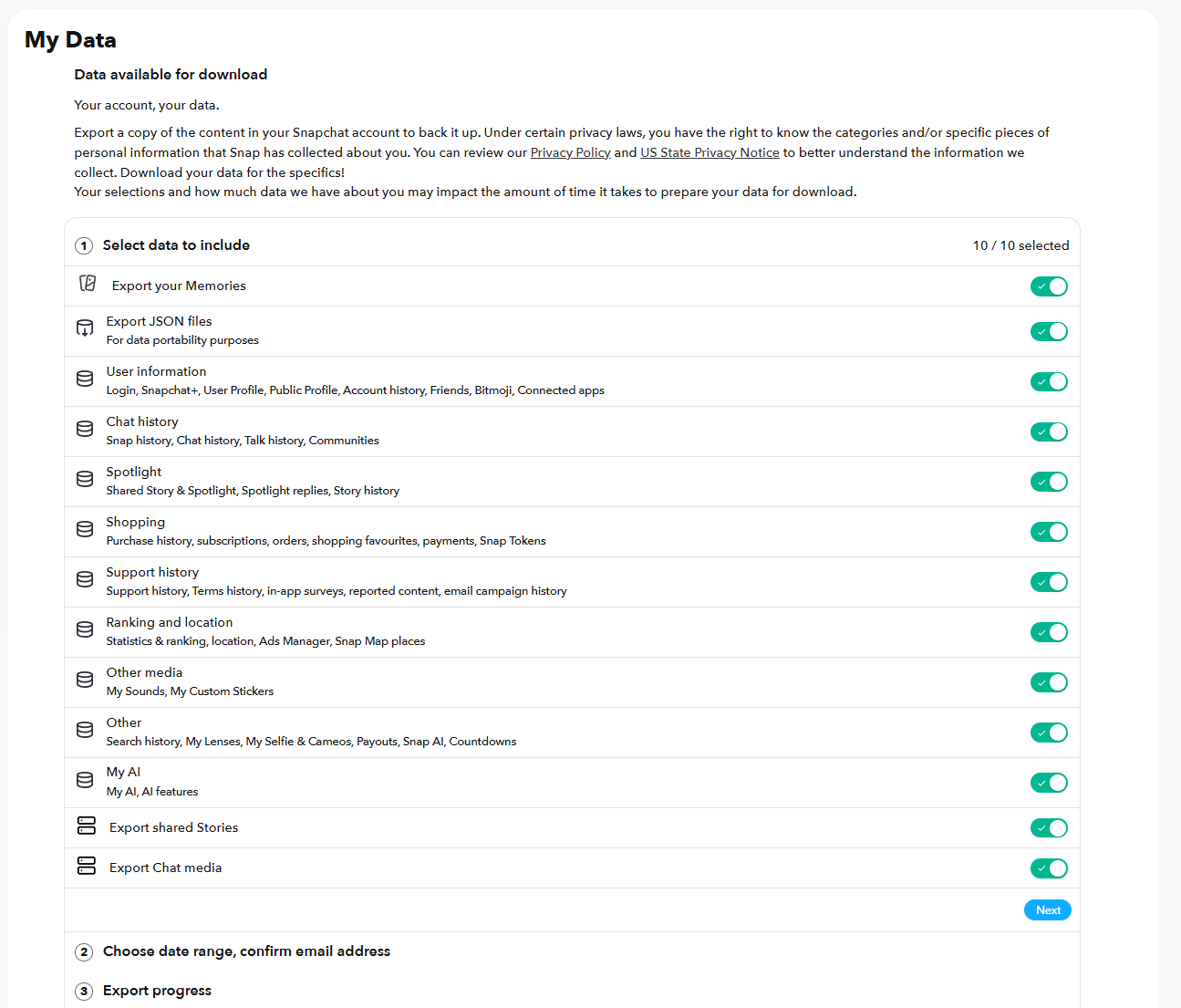
Stage 1. Nothing is ticked for you - every category and every media export has to be switched on by hand. -
Leave Export JSON files switched on
This is the toggle that matters most and it is easy to skim past, because it sits second in the list and its only label is 'For data portability purposes'. Without it you get a set of web pages you can read but nothing a tool can work with. Muletto reads the JSON to build the searchable view of your chats, snaps, friends and locations, and so does every other importer.
-
Check the three media exports are on
Export your Memories, Export shared Stories and Export Chat media are listed separately from the data categories, and they are the only route to your actual photos and videos. The counter at the top right reads 10 / 10 selected when the data categories are all on, so it can look complete while a media toggle is off. Look at those three specifically.
-
Confirm the rest of the categories and press Next
The remaining categories are User information, Chat history, Spotlight, Shopping, Support history, Ranking and location, Other media, Other, and My AI. Chat history covers snaps, chats, talk and Communities. Ranking and location covers your Snap Map places and location history. There is no reason to leave any of them out of a backup.
-
Choose All time, and check the email address
Stage 2 asks for a date range, and this is the step that quietly costs people their history: it does not default to everything. You have to pick All time yourself. Leave it alone and you get a window instead of an archive, which is not what anybody asking for their data means. Then look hard at the address shown, because that is where the download link goes and it is the address on the account rather than one you pick here. If it is an old mailbox you no longer read, change it in your account settings before you submit rather than after - the request uses whatever address is on the account when you make it. If you cannot change it, you can still collect the export from the My Data page without the email, which is covered below. Press Submit.
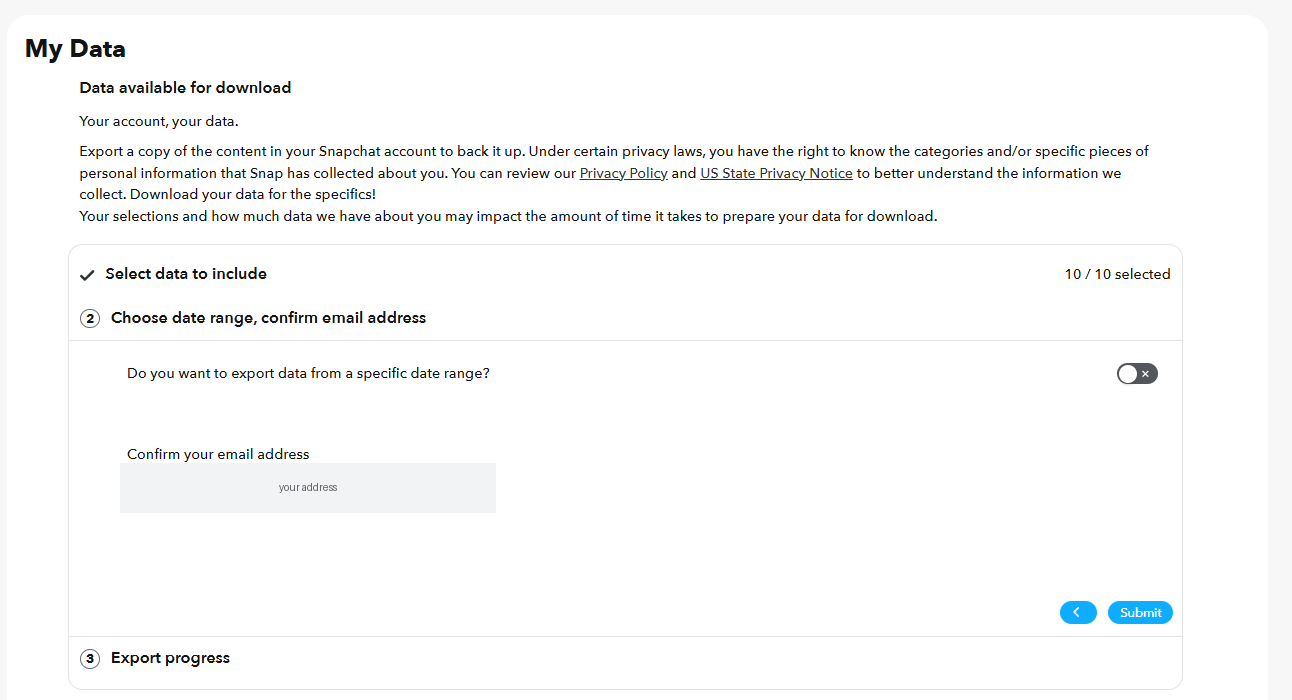
Stage 2. Set the range to All time. It does not do that on its own. -
Wait for the email
Snapchat says the job can take hours or days depending on how much it has to gather. The page shows the request as In progress with the time you created it, and you can close the tab - it does not need to stay open.
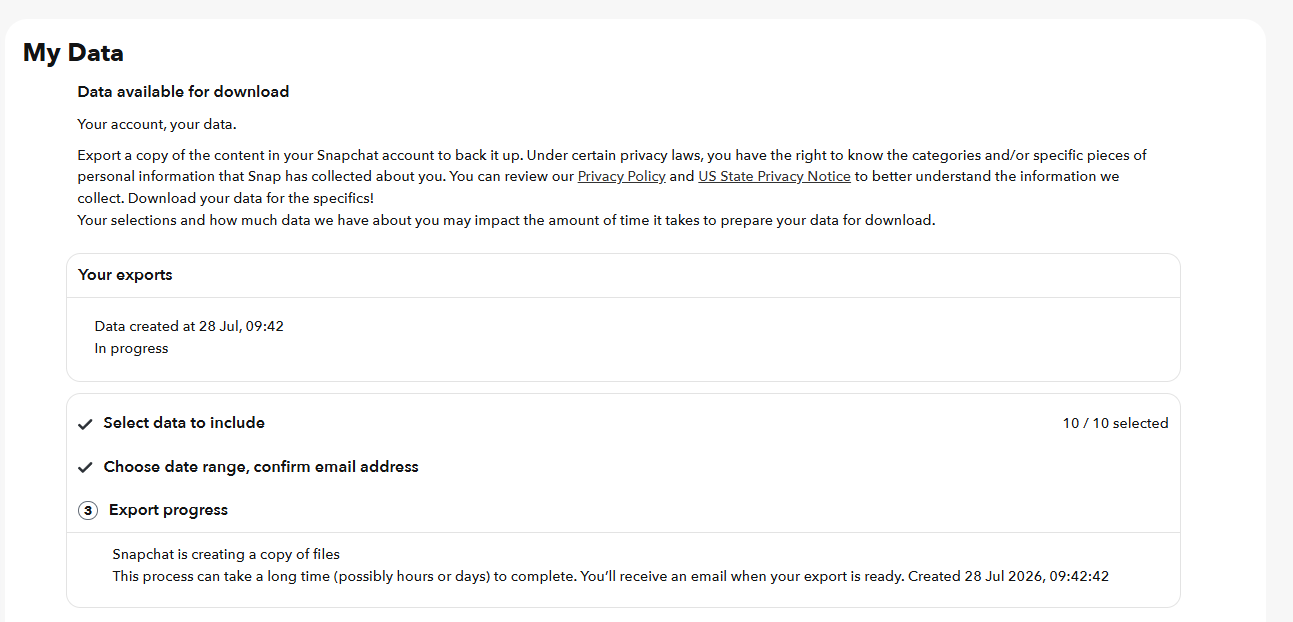
Stage 3. Safe to close the tab; the link arrives by email. -
Expect an in-app notification you can ignore
Snapchat pushes a notification from the app itself, saying your data is on its way. It is informational and there is nothing to do with it - no link, no download, and it does not mean the export is ready. Ignore it and wait for the email.
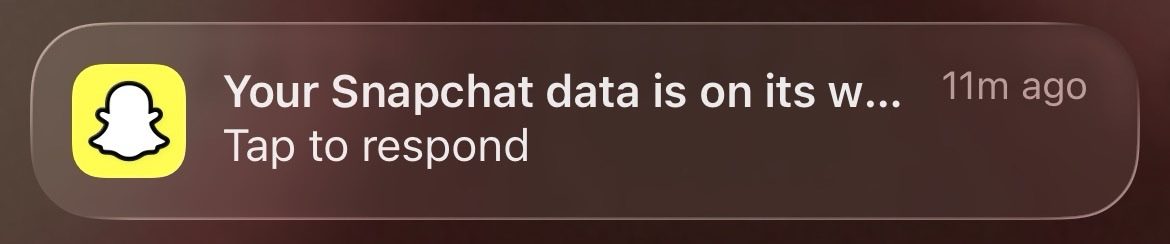
About two minutes after submitting. Informational only - not the export. -
Download every part promptly
Do not wait for the email. Go back to accounts.snapchat.com, open My Data and choose See exports: every request you have made is listed there with its status and a Download button, so you can collect the files without the email ever being involved. This matters more than it sounds. The link is reported to last about seven days, and the address on the account is often one set up years ago that you no longer read - which is how people request an export three times running and miss it three times, each attempt expiring quietly in an inbox they never open. Check the page a few hours after requesting, then daily. Large exports are split into several parts and you need all of them.
Opening your Snapchat export
Muletto reads a Snapchat export directly - the zip, without unpacking it first - and finds the messages, posts and social activity and location history inside.
It runs in the browser: the archive is never uploaded, there is no account, and nothing is installed. Open several exports at once and they become one library, with the photographs that appear in more than one of them found automatically.
Worth knowing
Common questions
Why are my Snapchat memories not in the download?
Unless you ticked the option to include them, the export holds links to your memories rather than the files, and those links expire. Request again with Export your Memories selected if you want the pictures and videos themselves.
Why is there no json folder in my Snapchat export?
The JSON files are an option you tick when requesting. Without it you get only the HTML pages, which are readable by eye and much harder for any tool to use. Request again with Export JSON Files selected.
How far back does Snapchat chat history go?
Only saved messages are included. Anything not explicitly saved in the conversation was deleted from Snapchat's servers and cannot be recovered by any request.
Why do my Snapchat memories have the wrong date?
The capture date and location live in the export's JSON, not inside the downloaded picture, so anything reading the file alone sees the download date. Muletto reads the JSON and writes the real date and place back into the file.